
Dental models in PreForm: preparation for 3D printing
How to prepare printable dental models in PreForm for practices and laboratories using dental 3D printing workflows.
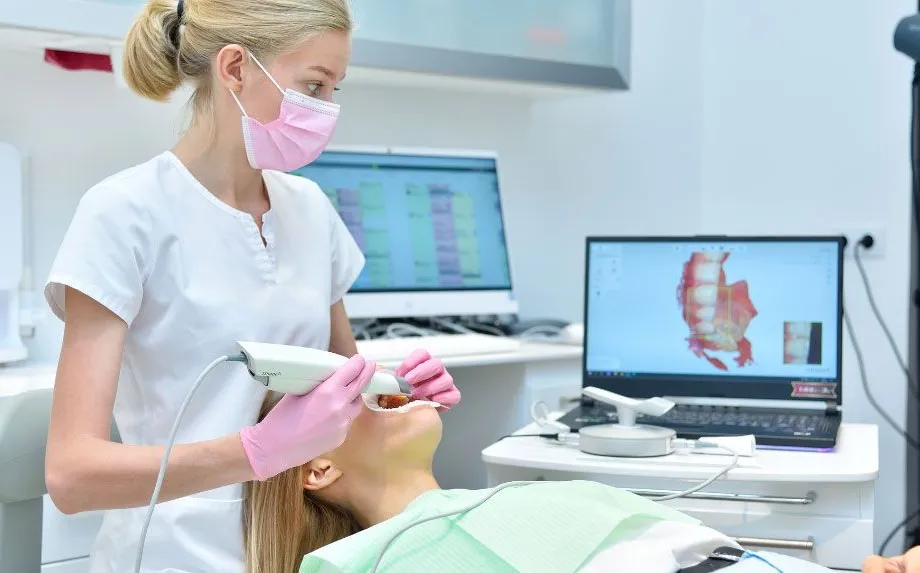
PreForm helps convert digital files into print-ready models, but STL preparation remains decisive. This article reviews the workflow for printing models that support digital dental prosthetics and other digital cases.
Why work with digital dental models
Today, digital dental models are part of a complete digital workflow that dental clinics have started to prioritize, because they have seen how it can strengthen the business while delivering excellent results in appliance manufacturing, diagnostics and patient care.
Today, working with digital technology processes has become a major opportunity for dentistry thanks to the many advantages offered by digital transformation based on 3D printing, real-time diagnostics and highly advanced design software. Let’s look at the reasons to choose technology in this field.
Digital dental models: quality and precision
Digital dentistry reduces the possible errors and uncertainties caused by human factors and brings high precision and reliability to every stage of the workflow.
For example, a 3D intraoral scanner eliminates many of the variables associated with traditional impressions, providing more useful and accurate data to carry out an effective design.
In turn, dental design software provides the same visual interfaces as traditional work, while adding the advantage of automating some steps and identifying and solving errors.
Finally, 3D printers can rapidly manufacture a full range of high-quality customized products with repeatable results, either directly in the clinic or in collaboration with a digital dental lab, improving patient acceptance and reducing adjustment needs.
-Recommended reading:How to make the move to digital dentistry starting with an intraoral scanner-*
Saving time and money
Choosing digital dentistry helps improve the efficiency of dental procedures and optimize workflows, because the time savings become truly significant: diagnosis, treatment and dental prosthesis manufacturing with 3D printing can be completed in record time.
It also reduces material costs and the need to send physical impressions to the dental prosthesis lab.
Scans and digital dental models: a simple step
Contrary to what is often believed, obtaining digital dental models is very simple and easy to implement.
To take the first steps in 3D dental technology, a clinic needs an intraoral scanner that enables digital scanning to create 3D files suitable for 3D printing.
On the other hand, a clinic that only wants to create simple models may choose computer-aided design (CAD) tools that are not specific to dentistry, which requires a long learning curve and proper command of the platform.
So how can you get started in the world of dental digitization in the right way? With Formlabs’ “Scan to Model” tool, it is possible to access digital dentistry easily without requiring CAD.
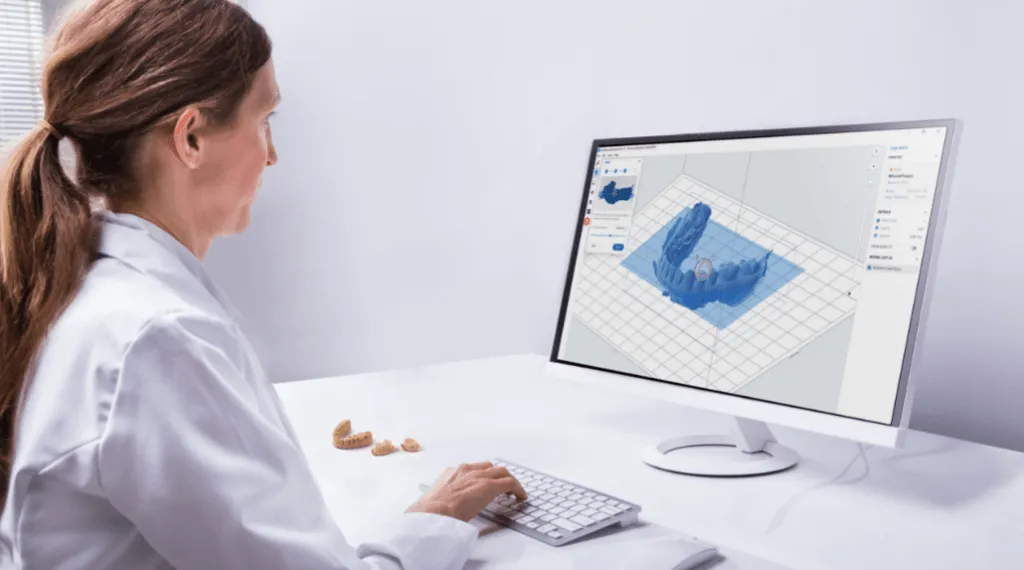
You can import intraoral scans, trim surplus elements and convert scans into printable files suitable for 3D printing in just a few clicks.
Applications of digital dental models
Digital dental models are used in several applications, including:
- Diagnostic models
- Thermoformed and orthodontic appliances
- Fit-check models
With optimal, validated materials for 3D dental manufacturing, clinics can create thermoformed and orthodontic appliances such as clear aligners, sports mouthguards, retainers and bruxism splints.
In addition, with digital dental technology, clinics can manufacture diagnostic models to visualize patient anatomy and plan properly.
-Discover:How to make an intraoral scanner profitable: you can do much more than you think-
Digital workflow: from scan to model in six steps
In 6 steps, we explain how you can obtain digital dental models thanks to 3D technology.
1. Intraoral scanning
Using 3D intraoral scanners, the patient’s images are captured quickly in digital format.
2. STL file import
The data collected with the intraoral scan is imported into the model in PreForm.
3. Model orientation
In the control software, the scan images are rotated and the occlusal surface is oriented upward or away from the print base.
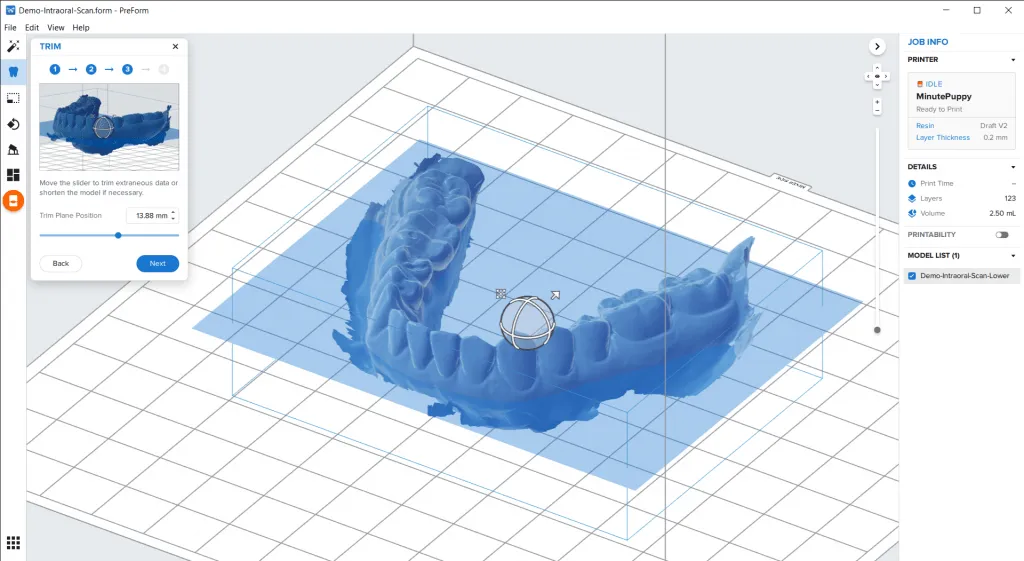
4. Mesh trimming
Using the slider, surplus data is trimmed or, if necessary, the model is shortened.
 Dental 3D printing | Smileep
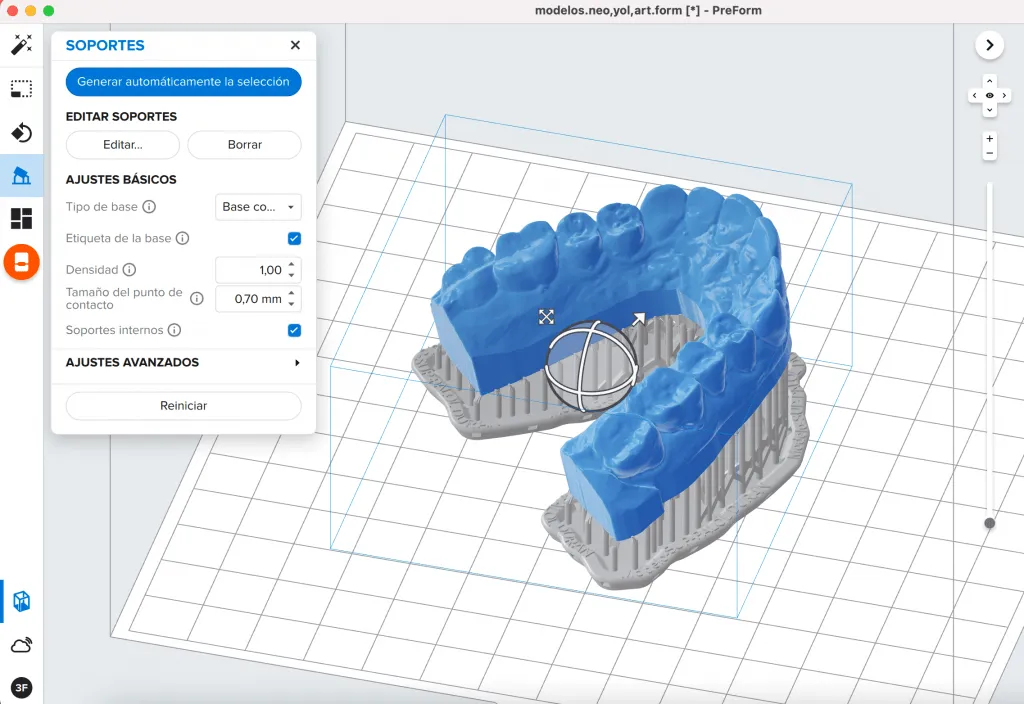
5. Base creation
More height is added from the trim plane to the base of the model.
6. Printing
The dental model is 3D printed horizontally so that printing is fast, or vertically to include many models in a single print.
 3D dental model | Smileep
Is your dental clinic taking its first steps in dental technology? Do you want to optimize your digital dental model creation processes? At Smileep, we have all the solutions you need. Get to know us!