Dental Prosthesis Lab | Connect Your Scanner to Smileep
Step-by-step guide for sending scanned files to Smileep, your digital dental prosthesis lab.

In the era of digital dentistry, working with a dental prosthesis lab like Smileep streamlines clinical workflows and improves the accuracy of final results. In this guide, we explain step by step how to connect your intraoral scanner to a dental lab, ensuring an efficient integration without friction.
We will guide you through the connection process for intraoral scanners from the following brands:
- 3Shape TRIOS
- Medit
- iTero
- Dexis
- Primescan | Dentsply Sirona
- Shining 3D
- Other compatible brands
This helps ensure that the files sent to the dental prosthesis lab meet the quality standards required for precise and efficient manufacturing.
Benefits of a Dental Prosthesis Lab Specialized in Digital Workflows
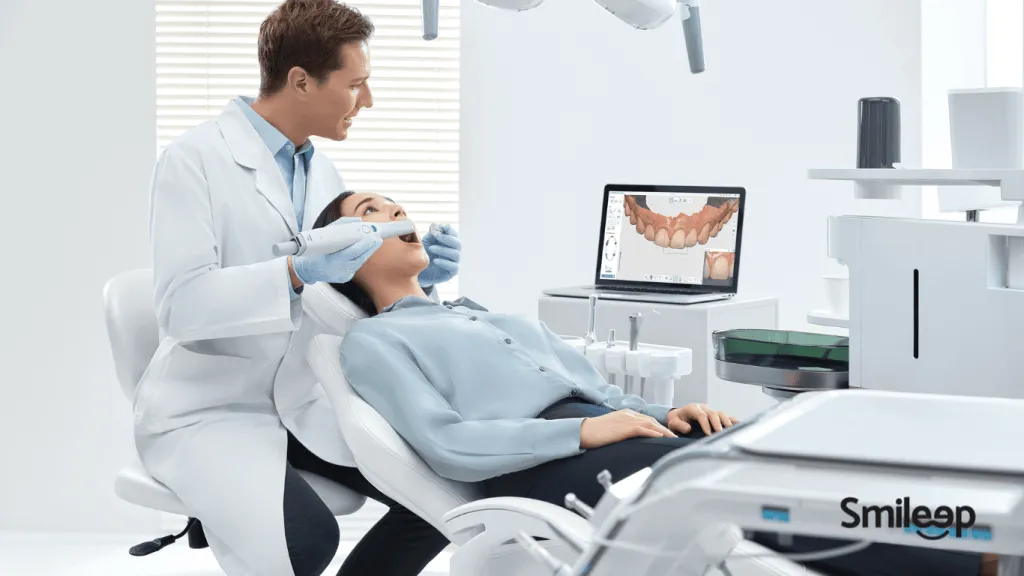
A dental prosthesis lab can receive scanned files in real time, reducing production times and improving communication between clinics and laboratories. Key advantages include:
- Greater precision in prosthetic designs.
- Reduced margin of error.
- Faster, more efficient processes.
- A better patient experience.
The first step is to establish a connection with our lab. Here is how the process works in general, followed by the specific steps for each scanner brand:
- Access the platform: Log in to your intraoral scanner platform.
- Find our lab: Inside the platform, search for «Smileep» or « lab@smileep.com » in the associated labs or partners section.
- Send a connection request: Once you find Smileep, send a connection request. Our team will receive your request and send you an invitation to complete the connection.
3Shape TRIOS Scanners
-
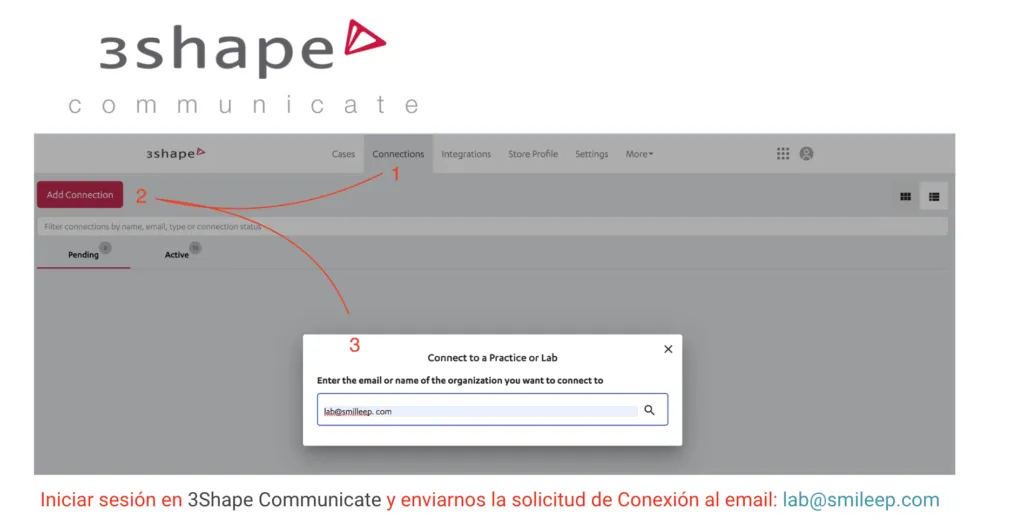
Access the 3Shape Communicate platform: Log in to your 3Shape intraoral scanner platform.
-
Find our lab in the connections section: go to «Connections».
-
Click «Add Connection».
-
Search for «Smileep» or enter « lab@smileep.com « in the search field.
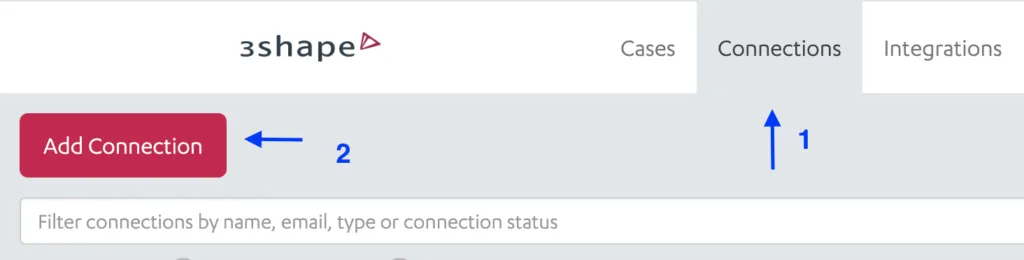
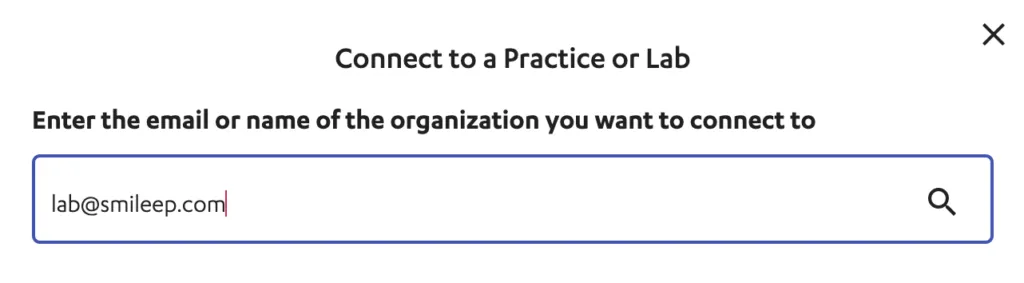
To finish, simply send the connection request: our team will receive your request and send you an invitation to complete the connection.
iTero Scanners
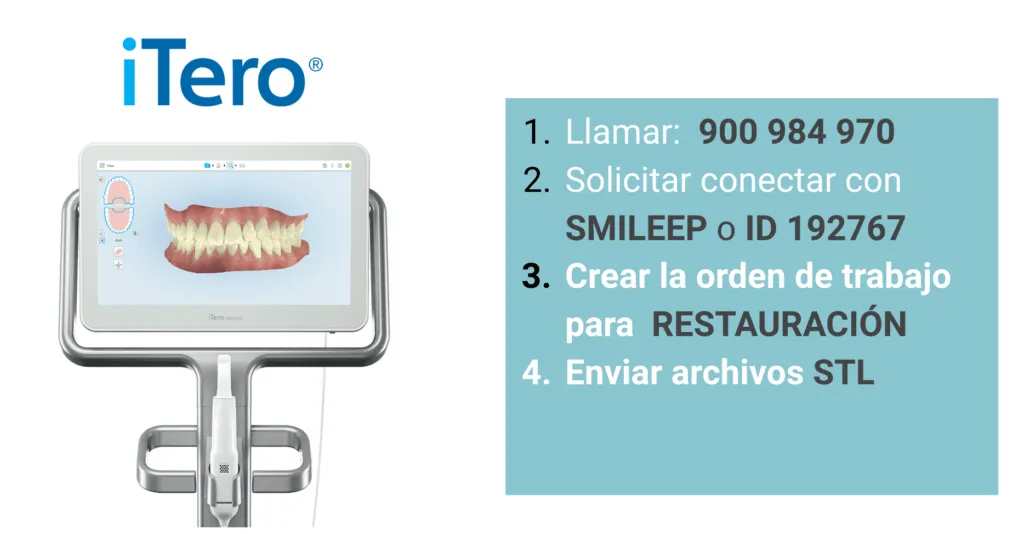
If you use an iTero intraoral scanner, follow these steps to connect it to our Smileep digital dental lab:
- Call iTero: Contact iTero by phone on 900 984 970.
- Request the connection: Ask to connect with Smileep or provide our lab ID: 192767.
- Connection confirmation: Once iTero confirms the connection with Smileep, you will be ready to send us your scanned cases.
- Create the work order: In the iTero platform, create a new work order for RESTORATION.
- Send STL files: Send the STL files for the cases to Smileep through the iTero platform.
Note: only you, as the scanner user, can request the connection with the lab. Make sure you complete this request to enable file submission.
MEDIT Scanners
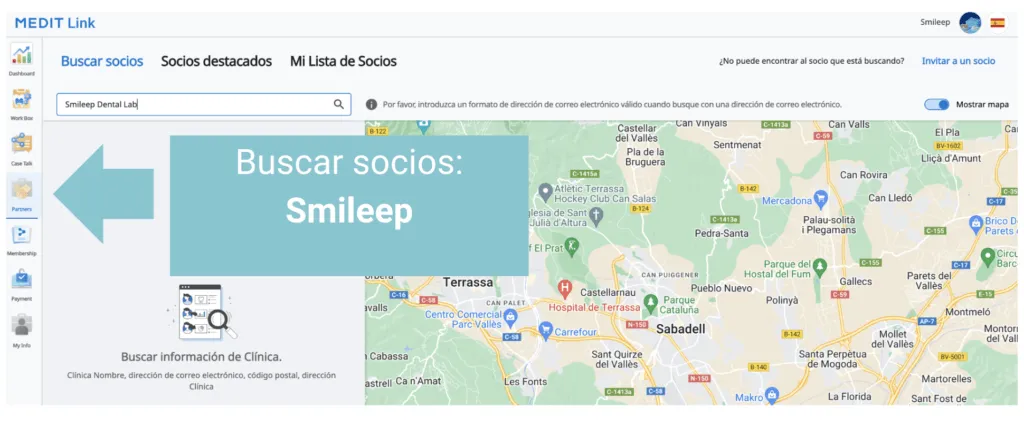
- Access MEDIT Link: Log in to your Medit intraoral scanner platform with your credentials.
- Find our lab in the partners section: Inside the platform, go to «Partners».
- Find Smileep or enter « lab@smileep.com « in the search field.
- Send a connection request: Once you find Smileep, click «Invite a partner» in the top-left area of the screen.
Primescan | Dentsply Sirona Scanners
If you use a Primescan | Dentsply Sirona intraoral scanner, follow these steps to connect it to our Smileep digital dental lab:
-
Click the connection link provided by the platform to establish the connection.
-
Or access it manually: Log in to your DS Core account and go to the invitations section.
-
In the Partners section, search for «Smileep» or enter « lab@smileep.com « and send us a connection request.
Dexis Scanners
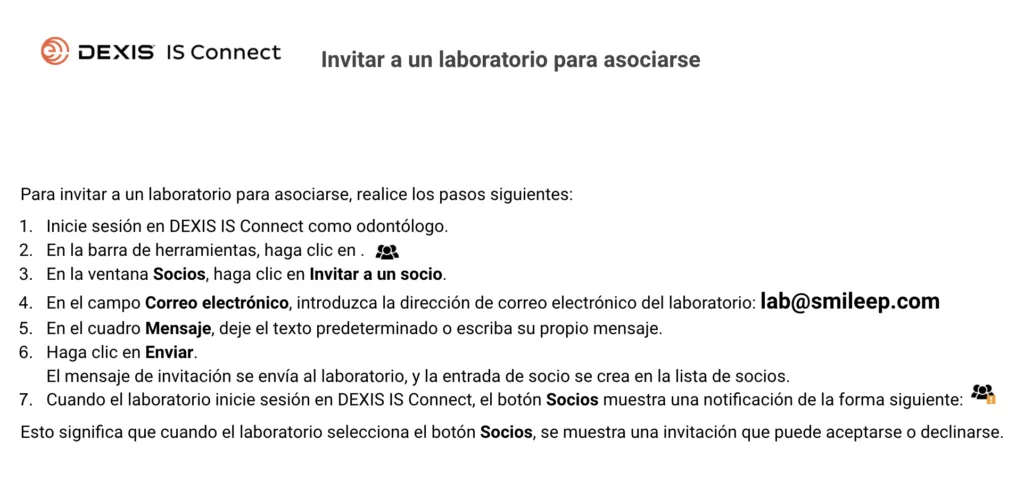
To invite Smileep as an associated lab in Dexis, follow these steps:
- Log in to DEXIS IS Connect as a dentist.
- In the toolbar, click «Partners».
- In the window that opens, select «Invite a partner».
- In the email field, enter the lab address: lab@smileep.com.
- In the message box, you can leave the default text or write your own message.
- Click «Send».
Once you send the invitation, an entry will be created in your partner list.
Shining 3D Scanners
-
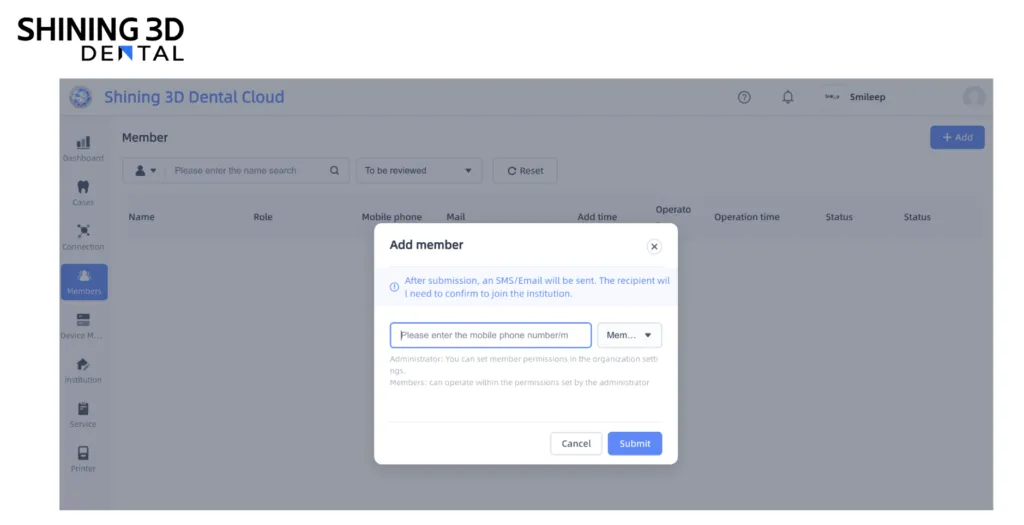
Access the Shining 3D - Dental3DCloud platform: Log in to your account using your access details.
-
Add Smileep as a member: Click «Members» in the toolbar.
-
Then select «Add Members».
-
In the search field, enter «Smileep» or lab@smileep.com to find us and send a connection request.
Sending STL Files to a Dental Prosthesis Lab
If you use an intraoral scanner from another brand, you can usually send us the files as follows:
- Direct submission option: After scanning the patient, look for the option to send the case by email and enter our address: lab@smileep.com.
- Download STL files: All scanner brands allow you to download files in STL format with both arches aligned.
- Once downloaded to your computer, you can send us the files by email or through WeTransfer free of charge.
Advanced Tips: Reviewing Files with Meshmixer
For a more detailed guide, read our article Meshmixer Dental: How to Repair STL Files from a 3D Model for Dental 3D Printing.
Benefits of Choosing Our Dental Prosthesis Lab
At Smileep, our digital dental lab offers advanced solutions for your dental practice. We provide a complete catalogue of digital dental prosthesis and clear aligner solutions, as well as innovative digital products such as:
- 3D surgical guides: provide precision and customization for your surgical procedures.
- 3D occlusal splints: designed to provide comfort and effectiveness in the treatment of temporomandibular disorders.
- Definitive 3D inlays/onlays: ensure high quality and a precise fit, improving patient satisfaction.
Do You Need a Dental Prosthesis Lab to Work Digitally?
An excellent starting point is a 3D Occlusal Splint - Splint Brux. This digital splint is fully customized for each patient, manufactured with high-strength dental 3D printing technology and a biocompatible material.
Offer your patients a superior experience with a premium 3D occlusal splint, ready in just 48 hours.